How buyers find your items on Vinted
Buyers type a few words, then narrow the results with filters. Vinted explains how it orders what they see. Here is what that means for your listings.
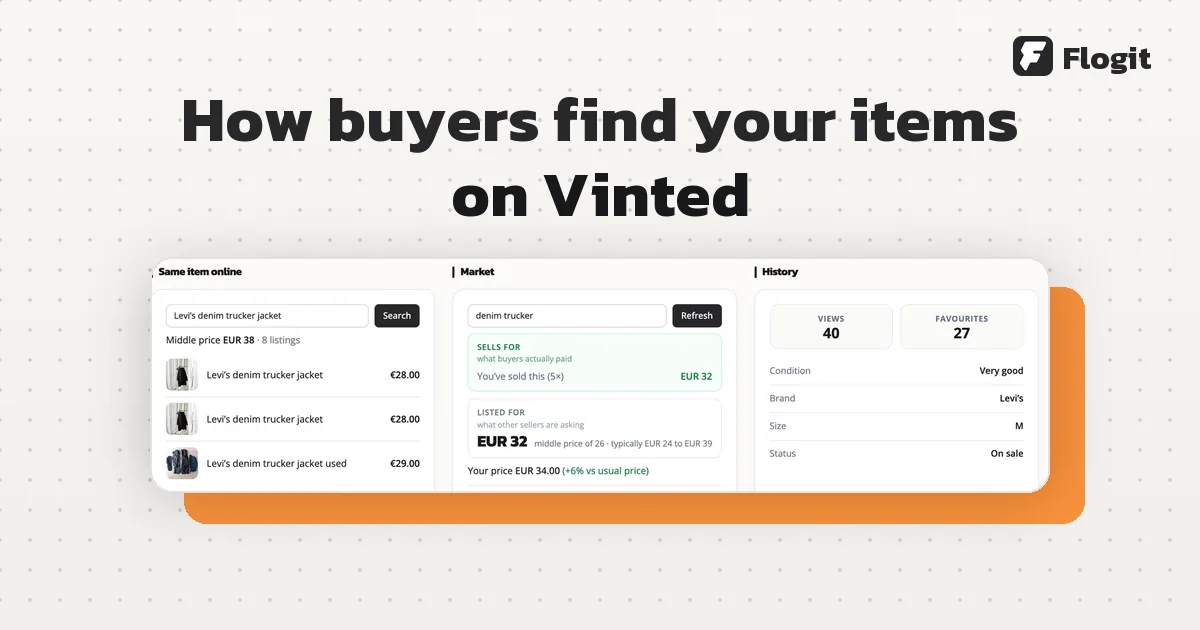
Most buyers search with a few words, then use filters such as category, brand, size and price. A filter only finds your item if the right value is in that field. Fill in every field honestly, write a clear title, take good photos and set a fair price.
The three ways buyers find items
Vinted's help centre names three ways. Buyers can scroll the feed, which shows newly uploaded items and can be tuned to categories, sizes and brands. They can use the search bar, with keywords like "skinny black H&M jeans" and filters on top. And they can follow members to see their new uploads. Vinted also saves a buyer's search filters and suggests them on the next search. Source: Finding items
Filters: where a wrong field hides your item
Search results can be filtered by Category, Size, Brand, Condition, Colour, Material and Price. Buyers can sort them by Relevance, Newest first, or Price, low to high or high to low. Source: Vinted catalogue
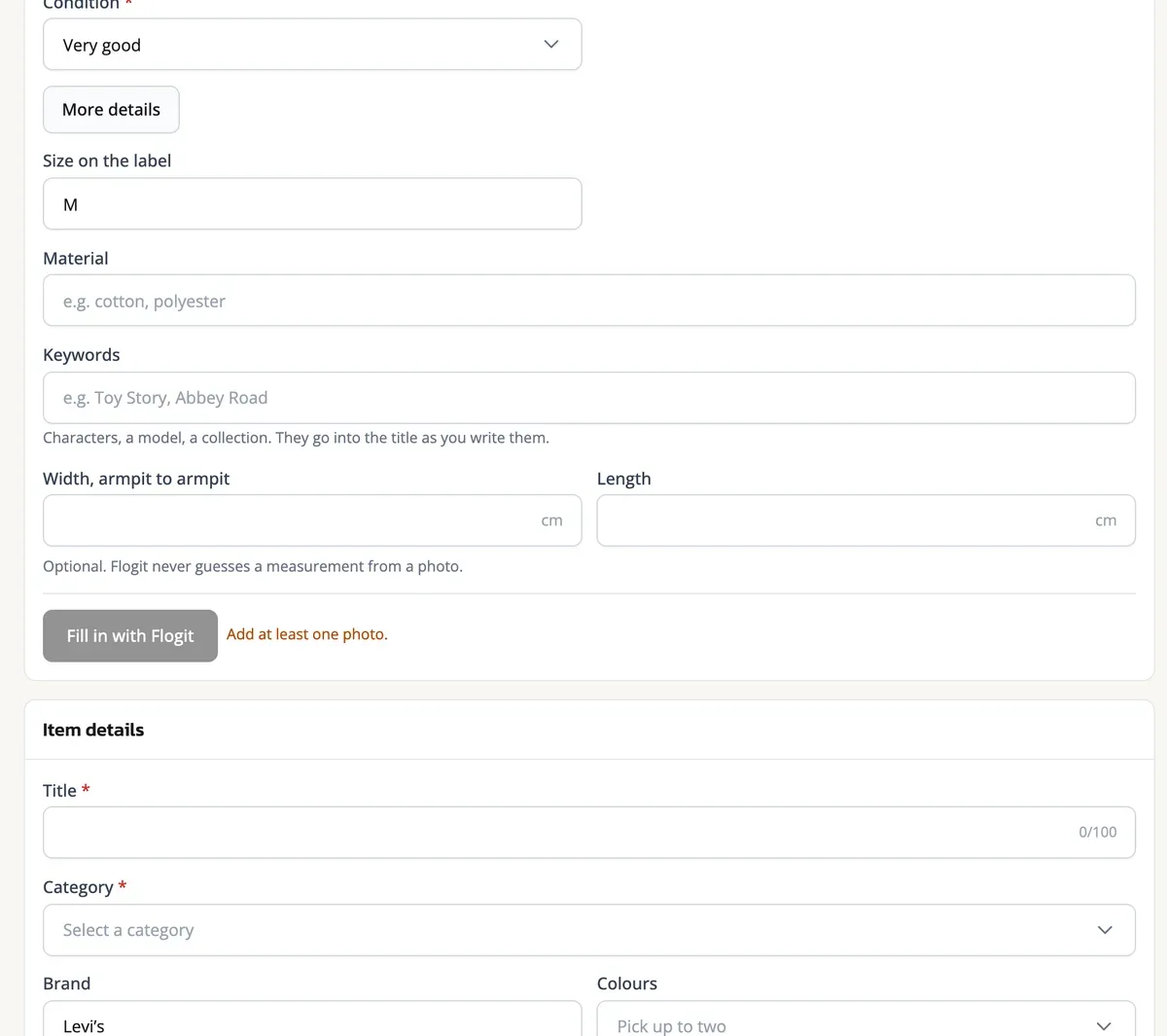
Each filter reads one field of your listing. Say you sell a denim jacket made by Levi's but leave the brand empty. A buyer who picks Levi's will not see it. The same happens with a size left blank, or a jumper in the wrong category.
Vinted says the filters matter most in its ranking. The first are the filters the buyer chooses, such as search filters or customised sizes. The next are filters Vinted adds itself, such as showing only items that can be bought in the buyer's country. Source: Recommended content on Vinted
How Vinted orders the search results
Vinted explains its ranking on one help page. Once the filters are applied, the results are ranked by how well each item matches the search and the buyer. Promoted listings get extra visibility, within limits on how often they appear. Item attractiveness and the buyer's past activity also count. Vinted says these priorities can change with the search and with how people behave.
| What Vinted looks at | What it means for you |
|---|---|
| Filters the buyer applies, such as size or brand | Your fields must match them, or your listing is left out |
| Filters Vinted applies, such as the buyer's country | Only items that can be bought in the buyer's country show |
| Promoted listings: new listings, Showcase and Bumps | Extra visibility, with limits on how often they appear |
| Time since upload | Vinted uses it to judge how likely the item is to sell |
| Impressions, favourites and clicks | The interest your item already gets counts for it |
| Price | Vinted aims to show better deals, so price affects what is shown |
| Condition | Shown to buyers who want that condition |
| Category, brand, size, colour and photos | Matched against the filters and the buyer's interests |
| Description | Checked for how relevant it is to the words the buyer typed |
| Many listings uploaded in a short time | Shown to buyers in proportion, not all together |
| Language | Shown in the buyer's preferred language |
The table lists the parameters Vinted names on its help page, not a formula. Source: Recommended content on Vinted
The homepage feed is personal
The feed works in two steps. A recommender picks the listings for a buyer. Then a re-ranker puts them in order by how relevant they seem to that person. Source: Recommended content on Vinted
Buyers can shape their feed by choosing categories, clothing sizes and the brands they follow. What they buy, favourite and click also counts. A buyer can switch personalisation off, and then Vinted only recommends items based on the item's data and size. Source: Personalising your Vinted feed
For you as a seller, this means category, brand and size need to be right. The feed matches on those fields.
Write the title in words buyers type

Vinted's advice is to name the brand, the colour, the type of item and anything that makes it different. Its example: "New pink Zara mini evening dress" is the one to write, and "Very nice dress" is the one to avoid. Words like nice, pretty or good say nothing about the item. Source: Describing an item
Think about what you would type to find your own item. "Nike Air Force 1 white size 40" does more work than "Great trainers". In the description, give the details once, in plain sentences. Vinted's page lists measurements, extra materials, alterations, a missing brand label and every flaw. Source: Describing an item
What not to do: extra brands and hashtags
It is tempting to add popular brand names to catch more searches. Vinted's Catalog Rules do not allow it. Brands that are not related to your item may not be used in the brand field, the title, the description or as a hashtag. The rules also say that "inspired by" followed by a brand is generally prohibited. Source: Vinted Catalog Rules
Vinted can hide a listing for this. Its help page gives these reasons: unrelated or excessive hashtags, several unrelated brands in one listing, the wrong category, and a price, condition, size or hashtag that is unclear or misleading. Once you change the listing to follow the rules, it becomes visible again. Source: Listing was hidden or removed
Check the most specific category, the real brand or no brand, the size on the label, the true condition and the main colour. Make the first photo show the whole item. Compare your price with similar listings on Vinted, items that likely sold, and your own sales.
What brings buyers back to your items
Search is not the only way in. Vinted says your followers are notified when you list a new item or lower a price, so listing new items often can help you gain followers. When someone favourites your item or asks about it, Vinted says you can send them an offer. Source: Selling your items faster
Bumps and Showcase are paid promotions that make a listing more visible to buyers. Source: Recommended content on Vinted It helps to get the basics right first. We explain the costs in Vinted fees for sellers.
Flogit's Fill in button reads your photos and writes the title and the description into Vinted's form. If the category is still empty, it fills in the category too. Add the keywords, category, brand, condition and colour first, and Flogit uses them instead of guessing. It never types the price: it shows a price range for you to read. You check every field and press Upload yourself, unless you scheduled the listing. See the listing page.