Keep a copy of your Vinted listings and photos
Your titles, descriptions and photos took hours to make. A simple copy keeps that work safe from ordinary accidents. Here is what Vinted gives you, and what you can do yourself.
You can ask Vinted for a copy of your account data in your privacy settings. It arrives as a ZIP file. For everyday use, keep a folder with the original photos and the text of each item.
Why a copy is worth it
A good listing is real work. You took the photos, measured the item, wrote the title and found the right words for the flaws. All of it is easy to lose.
You can press delete on the wrong item. You can sell a jumper and find a second one just like it in the cupboard. You may want to sell on another marketplace one day. Or your phone can break with every original photo still on it.
In each case, a copy saves you from starting again. It takes a few minutes per item, and you only do it once.
Deleting a listing is not a backup
When you delete a listing, Vinted keeps some data for up to 6 months before it deletes that data for good. Source: Hiding, editing, or deleting listings
We would not count on getting a deleted listing back. Keep your own copy before you delete anything.
You can delete a sold listing too, once the transaction is fully completed. On the app, tap your profile icon, select View my listings, open the sold listing, select the 3-dot symbol in the top-right corner and press Delete. Source: Hiding, editing, or deleting listings
If you are not sure, hide the item instead. A hidden item is not visible in the feed, the catalog or your listings page. To bring it back, open it and press Unhide, Edit. If you want to hide all your items at once, use vacation mode. Source: Hiding, editing, or deleting listings
Selling the same item again
There is one case where Vinted gives your listing back. If a buyer canceled the order before the item was sent, a Re-upload button appears in the conversation screen. It restores the listing with the original photos and info, and you can still edit it. Source: Re-uploading an item
If the item was sold and then returned to you, Vinted asks you to upload a new listing for it. Make sure you have the item in your hands before you do. This is where your own copy helps most. Paste the text, add your photos and check that the description is still true.
Vinted also lets you resell recent purchases from Vinted, but you must take new photos. You cannot use photos from other members. Source: Re-uploading an item
Ask Vinted for a copy of your data
Under the GDPR, you can ask for a copy of the data you have shared with Vinted. Vinted lets you request it from your settings. Source: Understand your privacy rights
Open your privacy settings
Tap your profile icon, go to Settings, then select Privacy settings.
Request your data
Tap Manage account data, then tap Request data.
Confirm by email
Vinted sends you an email with a confirmation link. Log in to your Vinted account first, and open the link within 24 hours, because it expires after that.
Download the file
When the copy is ready, you get a second email with a button to access your data. Tap it, log in if asked, and press Download.
Vinted says this typically takes just a few minutes, but in some cases it can take up to 30 days. The copy includes your profile details, your listed items, your messages and a broad range of other account details. It comes as a ZIP archive with HTML files, photos and PDFs. Source: How to receive a copy of your account data
It is a record of your account that you read. It is not a set of listings you can upload again with one click. For that, your own folder is quicker.
Keep your own copy as you go
The easiest copy is the one you make while you list. It needs no special tools.
- Make one folder per item on your computer or in your cloud storage, and name it with the brand and the item.
- Put the original photos in it, the full-size ones from your camera, not screenshots.
- Add a text note with the title, the description, the size, the measurements and the price you asked.
- When the item sells, add the date and the price it sold for. Move the folder to a "sold" folder instead of deleting it.
Turn on your phone's photo backup too, so the originals are not only on the phone. If you ever sell the same model again, you already have the measurements and the words.
Before you close your account
If you decide to leave Vinted, complete your active orders and withdraw any remaining funds to your bank account first. Then tap the Profile icon, select Settings, then Account settings, and select Delete my account. Source: Deactivate your account
Your account deactivates immediately. You lose access to your money and to the information about your orders. Vinted lets you restore the account for up to 3 months if you change your mind or deactivate it by mistake. To reactivate it, contact Vinted. Source: Deactivate your account
We would request your data and download it before you press Delete account, not on the last day. The download can take a while.
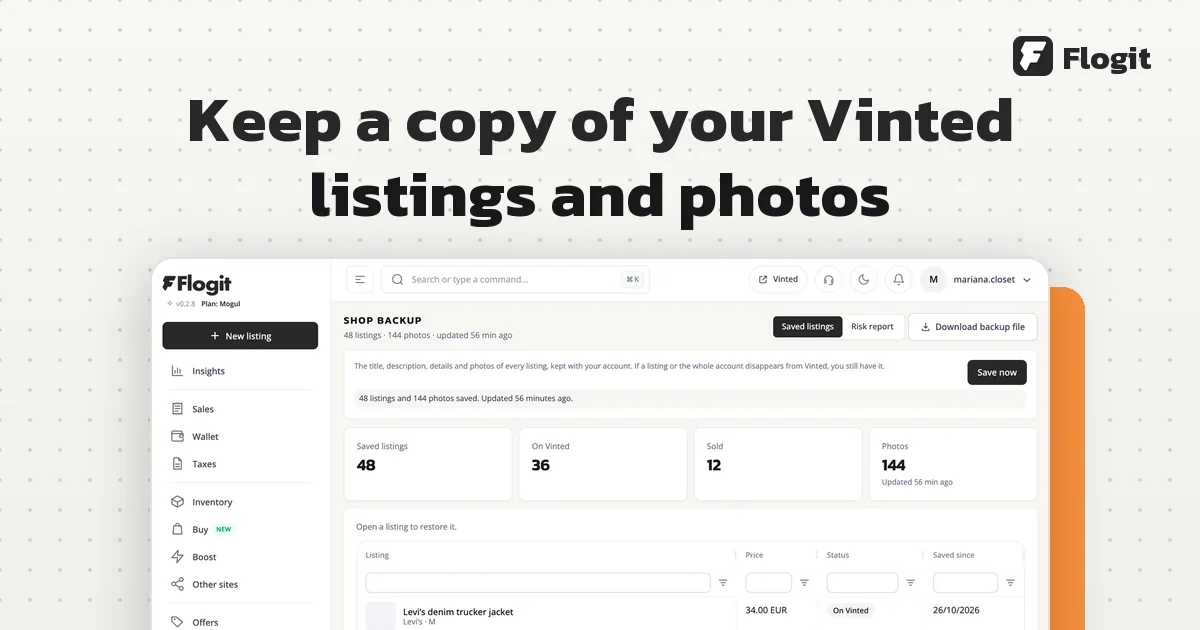
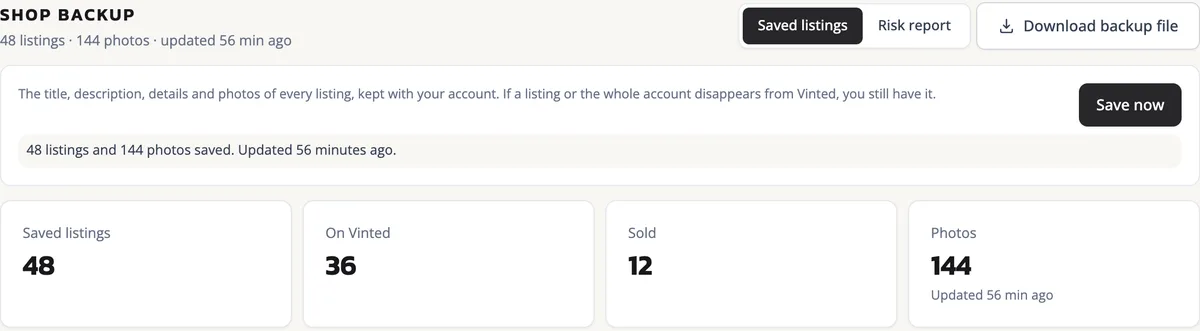
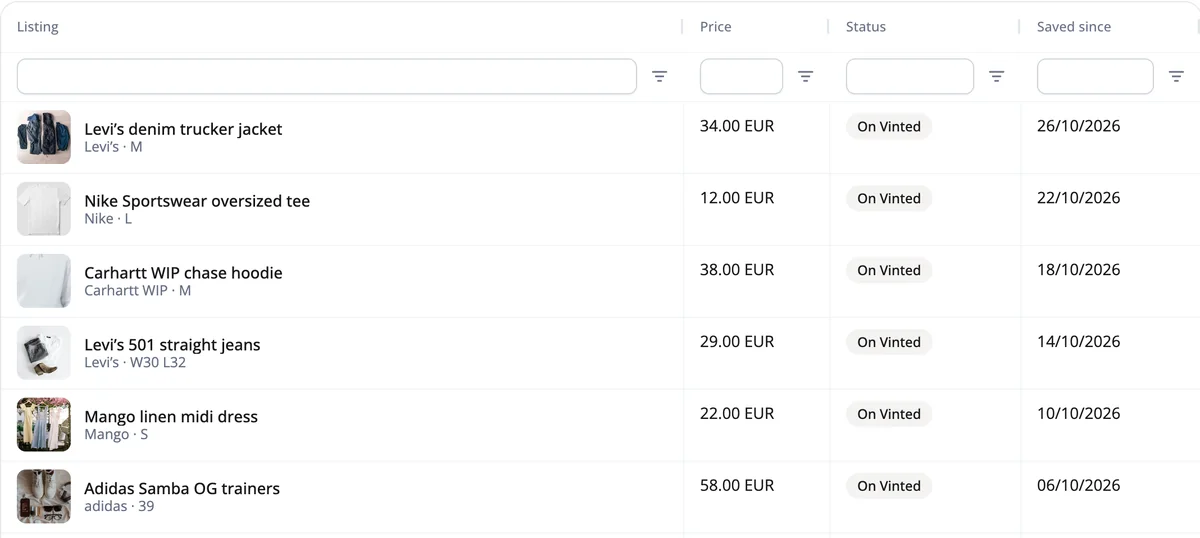
The Shop backup keeps the title, description, details and photos of your listings with your Flogit account, so you still have them if a listing or your Vinted account disappears. The free plan keeps up to 100 listings. You can also export a .zip of your listings and photos to your own computer: open Settings, go to Backups and press Export listings and photos. The file goes to your downloads folder and nowhere else. Making a backup only reads your listings, so it does not change or delete anything on Vinted.