Why Vinted removed your listing (and how to avoid it)
Vinted always tells you why it hid or removed a listing. Here are the reasons it gives, the rule behind each one, and what you can do next.
Vinted hides or removes a listing when it goes against its Catalogue Rules. The usual reasons are the same item listed twice, photos that are not yours, other brand names or hashtags, a fake, or a banned item. A hidden listing comes back once you fix it. A removed listing can be appealed once, within 6 months, but only if the message from Vinted has an appeal link.
Hidden or removed: not the same thing
Vinted does one of two things. A hidden listing stays in your wardrobe, but other members cannot see it. A removed listing is taken out of your wardrobe. In both cases Vinted sends you a message in your Vinted inbox that says why. Source: Listing was hidden or removed and Vinted Catalogue Rules
A hidden listing is the easy case. Edit it so it follows the rules, and it becomes visible again. You do not need to contact Vinted or appeal.
The same item listed twice

Vinted does not allow identical items to be listed twice. An item that has been listed multiple times can be removed as a duplicate. Source: Listing was hidden or removed
If you have a few copies of the same thing, make one listing and say in the description that you have 2 or more. If they come in different sizes, add a photo of each size label. If the colours are close, take photos from different angles and write the colour in the description. Source: Uploading step by step
If an item did not sell and you want to post it again, we would take the old listing down first, so only one copy is live.
Photos that are not yours
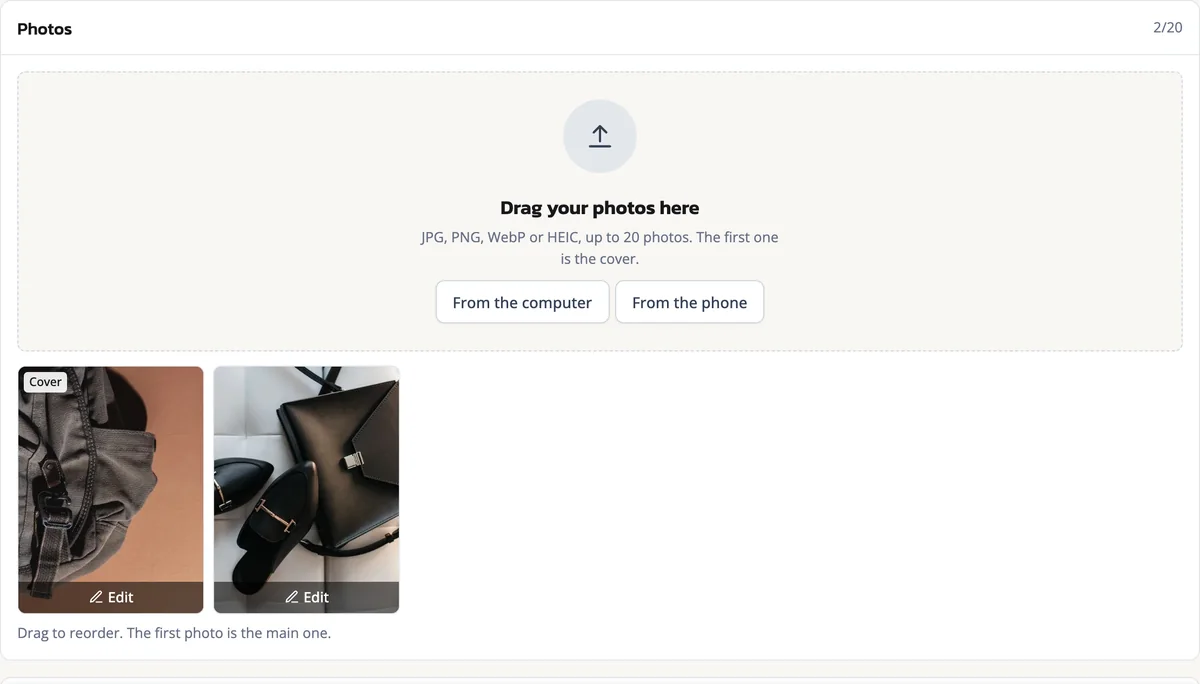
Vinted asks for photos that you took yourself, for your listing. They have to show the item as it is, with no image editing. Stock photos, photos from ads and watermarked images are not allowed. Source: Vinted Catalogue Rules
Photos taken from another website, including stock photos, are a reason for Vinted to remove a listing. Using photos from a brand's website can also lead to removal, because it can infringe intellectual property rights. Source: Listing was hidden or removed and Item authenticity, counterfeits, and intellectual property
You can resell something you bought on Vinted. Take new photos for the listing, because you cannot use other members' photos. Source: Re-uploading an item
Real photos of the real item also help it sell. We show how to take them with a phone in Good Vinted photos without a studio.
Other brand names and hashtags
In the description, Vinted asks you not to use hashtags or any brand name other than the one you picked in the brand field. Vinted hides or removes listings that mention unrelated brand names. Source: Describing an item
Unrelated or excessive hashtags can get a listing hidden too. Source: Listing was hidden or removed
So a Zara dress should not name another brand in its title, description or hashtags. Words like "inspired by" followed by a brand are generally not allowed either. Source: Vinted Catalogue Rules
We would describe the cut, the fabric and the colour instead.
Fakes and banned items
On Vinted you can only sell authentic items. You cannot add a line like "not sure if authentic" to a listing. If a listing offers a counterfeit item, Vinted permanently removes it and suspends the account it came from. Source: Item authenticity, counterfeits, and intellectual property
For a luxury item, Vinted asks for proof of authenticity, such as a receipt or invoice, a certificate of authenticity, or the tags and care labels. Otherwise it hides or deletes the listing. Source: Item authenticity, counterfeits, and intellectual property
Some items are not allowed at all, such as used make-up, food or live animals. We go through the list in What you cannot sell on Vinted.
Wrong category or details that do not match
Vinted's help page lists these reasons for hiding a listing. You fix each one by editing the listing. Source: Listing was hidden or removed
- The item is in the wrong catalogue category.
- The price, condition, size or hashtags are wrong or misleading.
- The item does not match its listing description.
- The photos are not good quality.
- The listing contains several items, but you sell only one of them or sell them separately.
- The item is no longer available or has already been sold.
- The listing description promotes another marketplace.
Be careful, though. Vinted can remove a listing that has been hidden several times for the same reason. Source: Listing was hidden or removed
What happens if it keeps happening
When a listing needs changes, Vinted hides it and tells you what to change. You have 24 hours to do it. If you do not, the item stays hidden. If a member repeatedly lists prohibited items, Vinted can suspend the account, for example for 7 days, or block it permanently. Source: Catalogue Rules: penalties
Vinted does not refund Item Bumps or Showcase for a listing that is hidden or removed. Refunds are not possible if your account gets banned either. Source: Listing was hidden or removed
We would check a listing against the rules before you pay to promote it.
How to appeal if you think Vinted got it wrong
You do not need to appeal a hidden listing. For a removed one, you may be able to appeal, using these steps. Source: Listing was hidden or removed
Find the moderation message
The best way to appeal is to use the link in the official moderation decision that Vinted sent to your Vinted inbox or email. Source: Appeal a moderation decision
Explain and add proof
Say why you believe the decision was wrong. Add any supporting evidence you can, such as a photo of a label or a receipt.
Do it once, within 6 months
You have 6 months from receiving the decision notice, and a decision can only be appealed once. Source: Listing was hidden or removed
We would send everything in one go.
If the message has no appeal link, Vinted says you cannot appeal that decision through Vinted. Source: Listing was hidden or removed
Before a new listing goes up, Flogit warns you when a listing with the same title is already live on your Vinted. You choose whether to publish anyway. When Flogit fills in a new listing from your photos, it reads the size and composition labels in your photos. You check everything before you publish. Read more about how Flogit writes your listings.